Cadno

plan it, write it, sketch it

Write your day. Plan the rest.

Cadno brings your calendar, to-dos, and handwritten notes together on one page. Pick a day, see what's planned, and write, type or sketch right beside it.

Coming soon to the App Store

For iPhone, iPad and Mac with Apple silicon, synced across all three

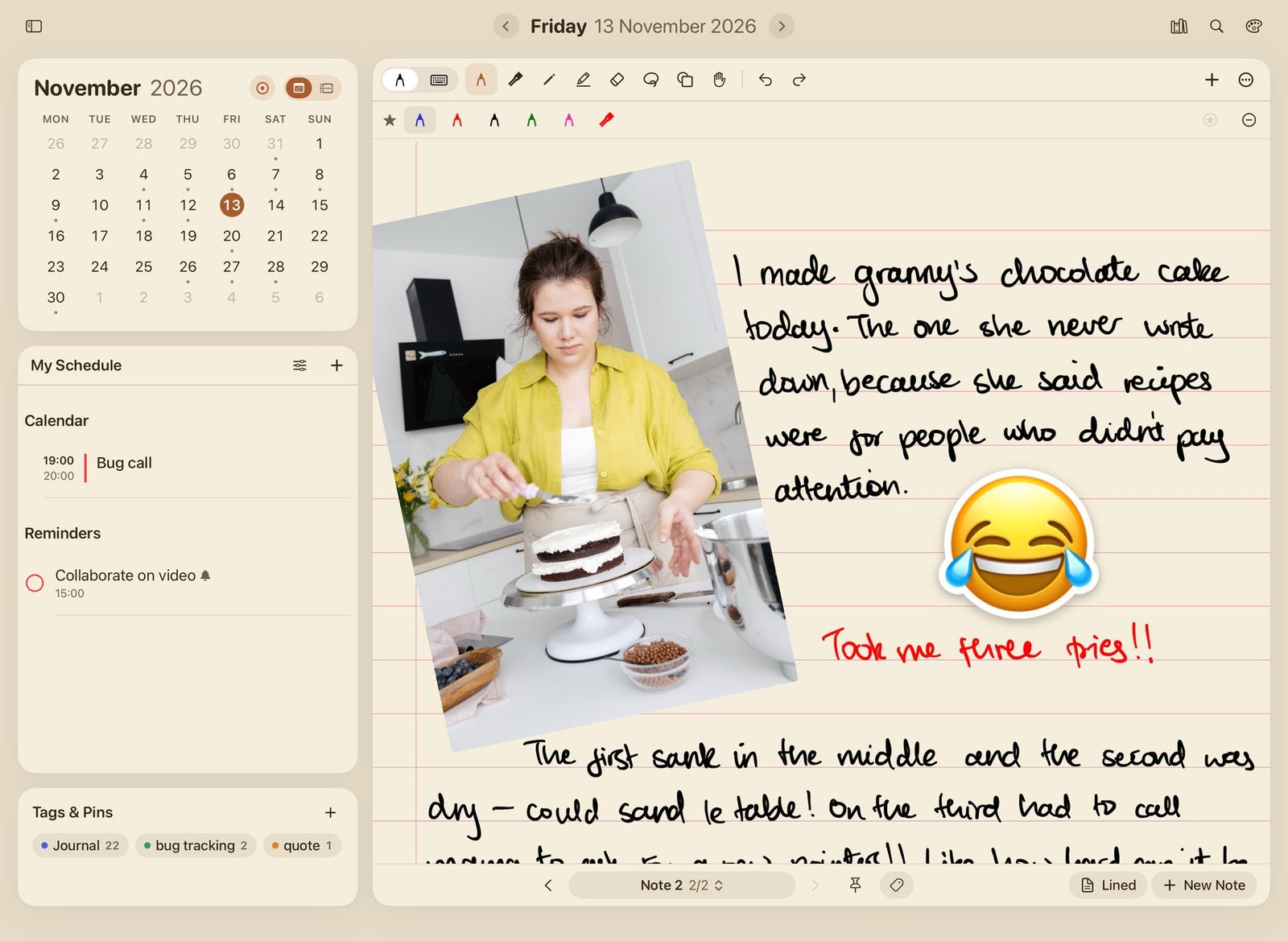
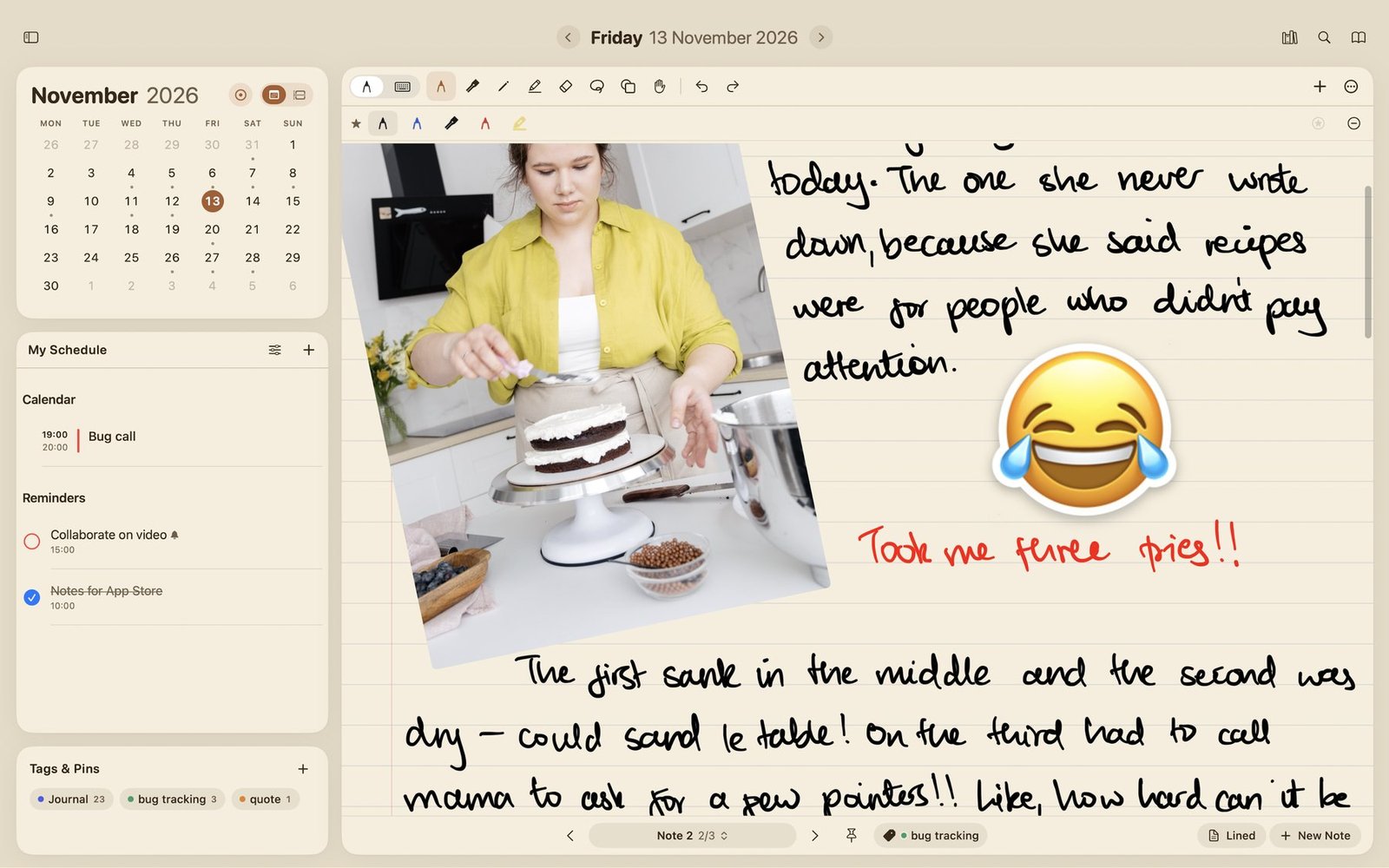
Cadno on iPad: a month calendar, today's schedule and tags on the left, and a handwritten journal page with a photo on the right

Calendar

Pick a day and see what's planned. Your events sit beside that day's notes.

To-dos

Your reminders are on the same page, ready to tick off as you go.

Notes

Write, type or sketch. Add as many notes and pages to a day as you need.

Write like on paper

  • Pen, pencil, calligraphy pen and highlighter from Apple PencilKit
  • Draw a shape and hold at the end to snap it into a perfect line, arrow, circle or box
  • Lasso to move, resize, turn, copy, restyle or convert handwriting to text
  • Hand tool for scrolling without leaving a mark
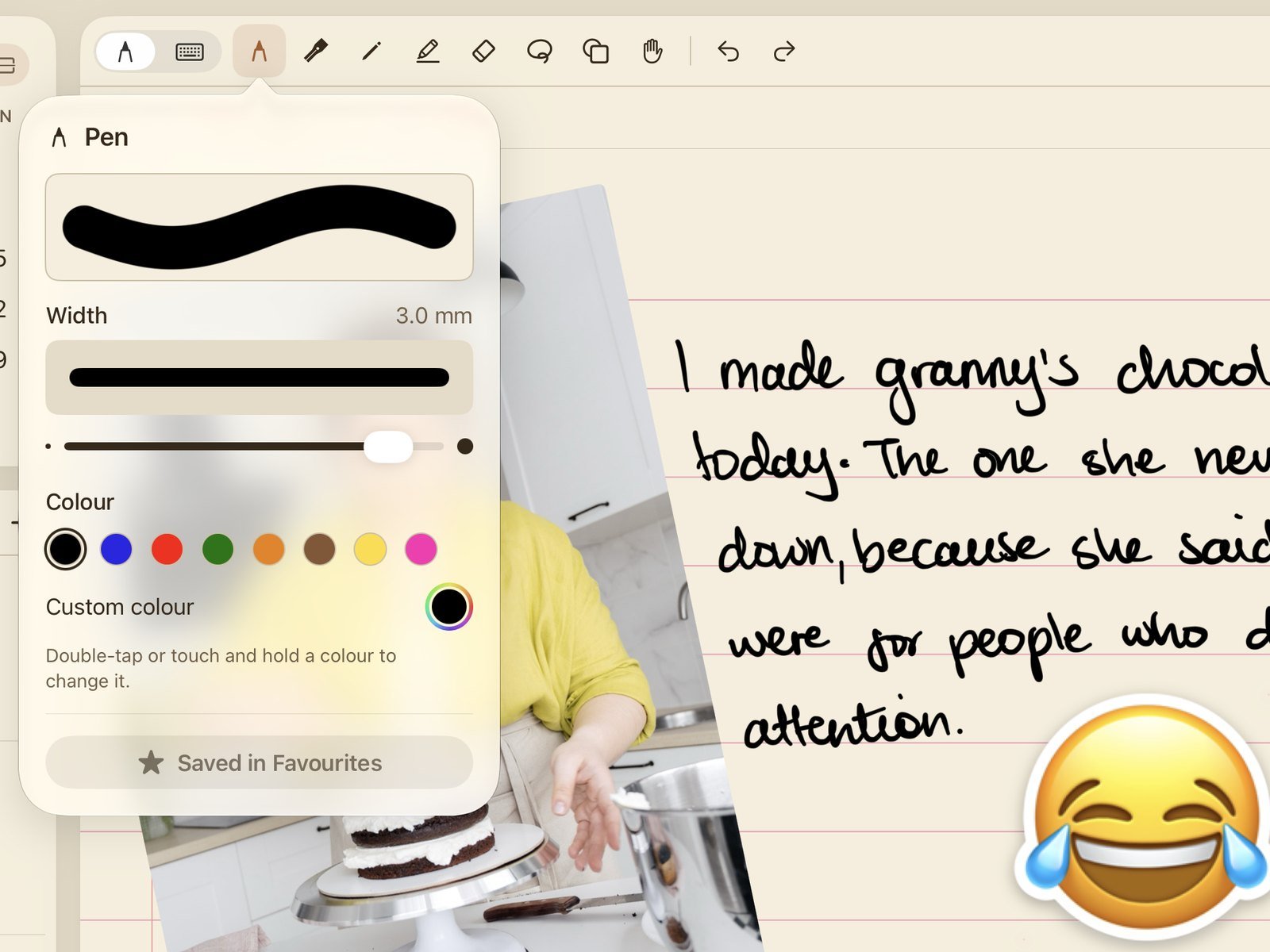
Close-up of the pen settings in Cadno, with a stroke preview, a width slider and a row of colours, next to handwriting
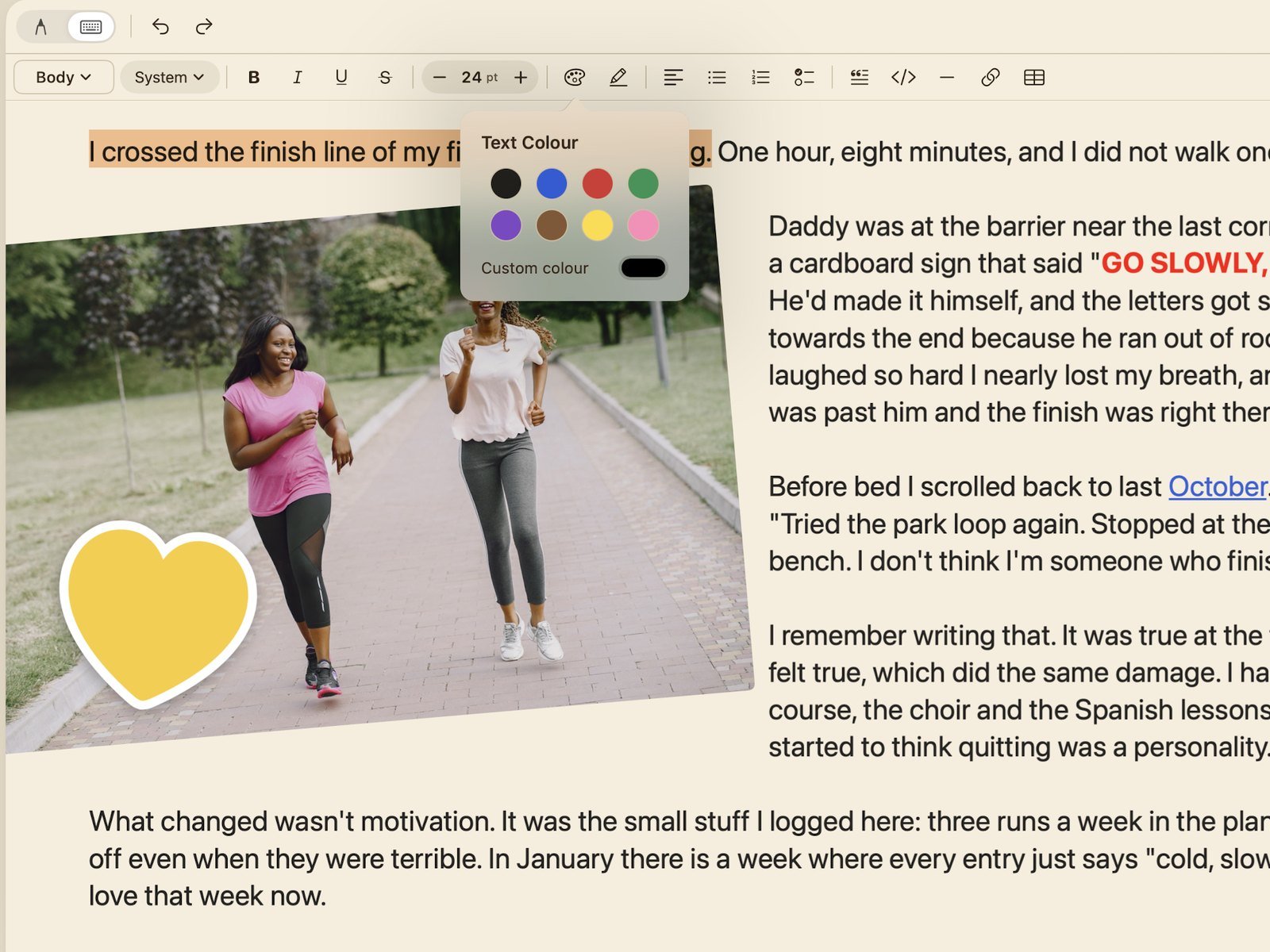
Close-up of the typing toolbar in Cadno with the text colour picker open over a journal entry

Type when you prefer

  • Type straight onto the page with headings, lists, checklists, colours and highlights
  • Add text boxes and tables anywhere on the page

Your day at a glance

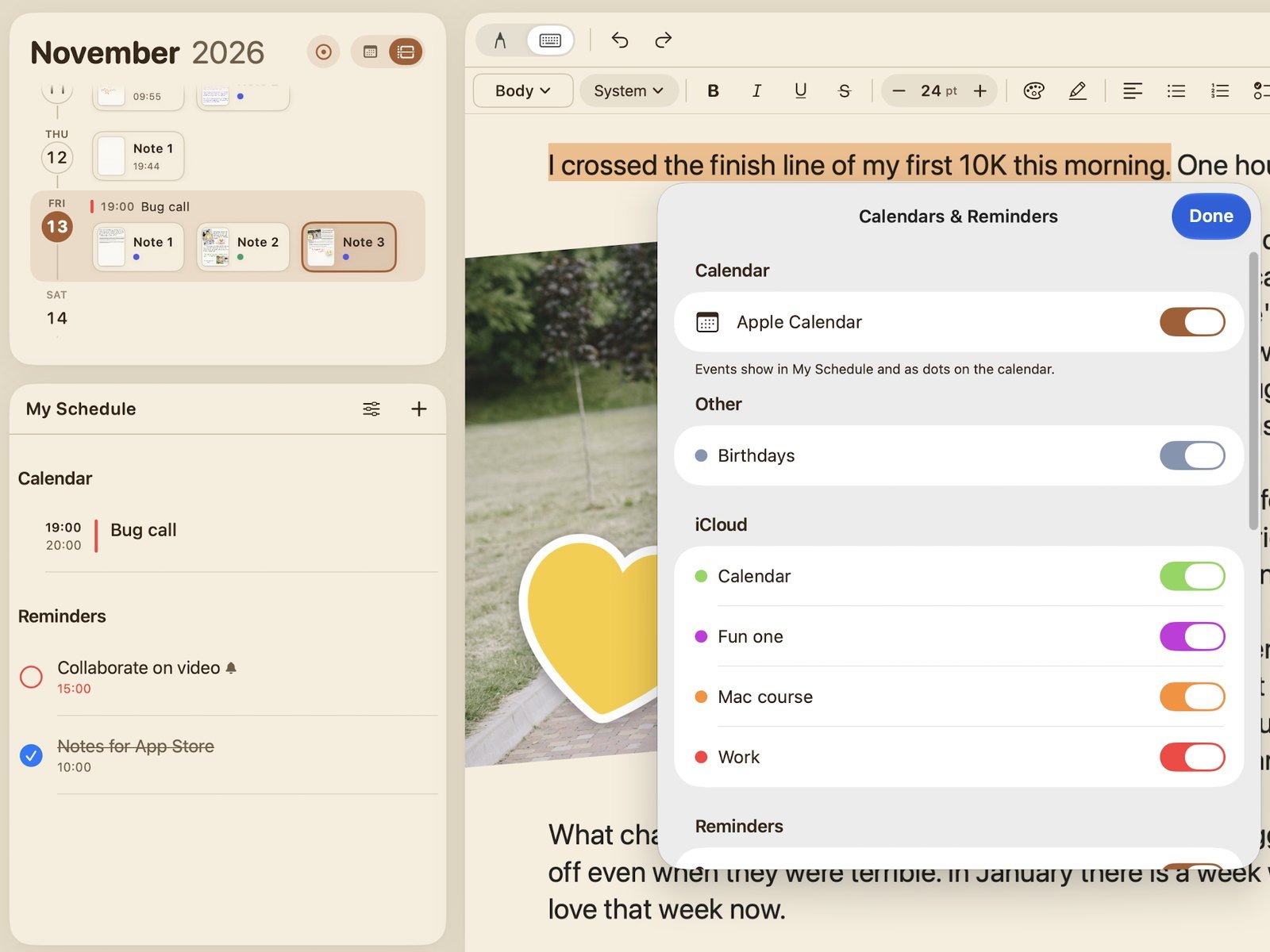
  • Month view or a scrolling timeline of every day
  • Your Apple Calendar events and Apple Reminders shown beside each day's notes
  • Choose which calendar new events and reminders go to
  • Keep a note moving to today until it's done
Close-up of the day timeline and My Schedule in Cadno, beside the Calendars and Reminders settings
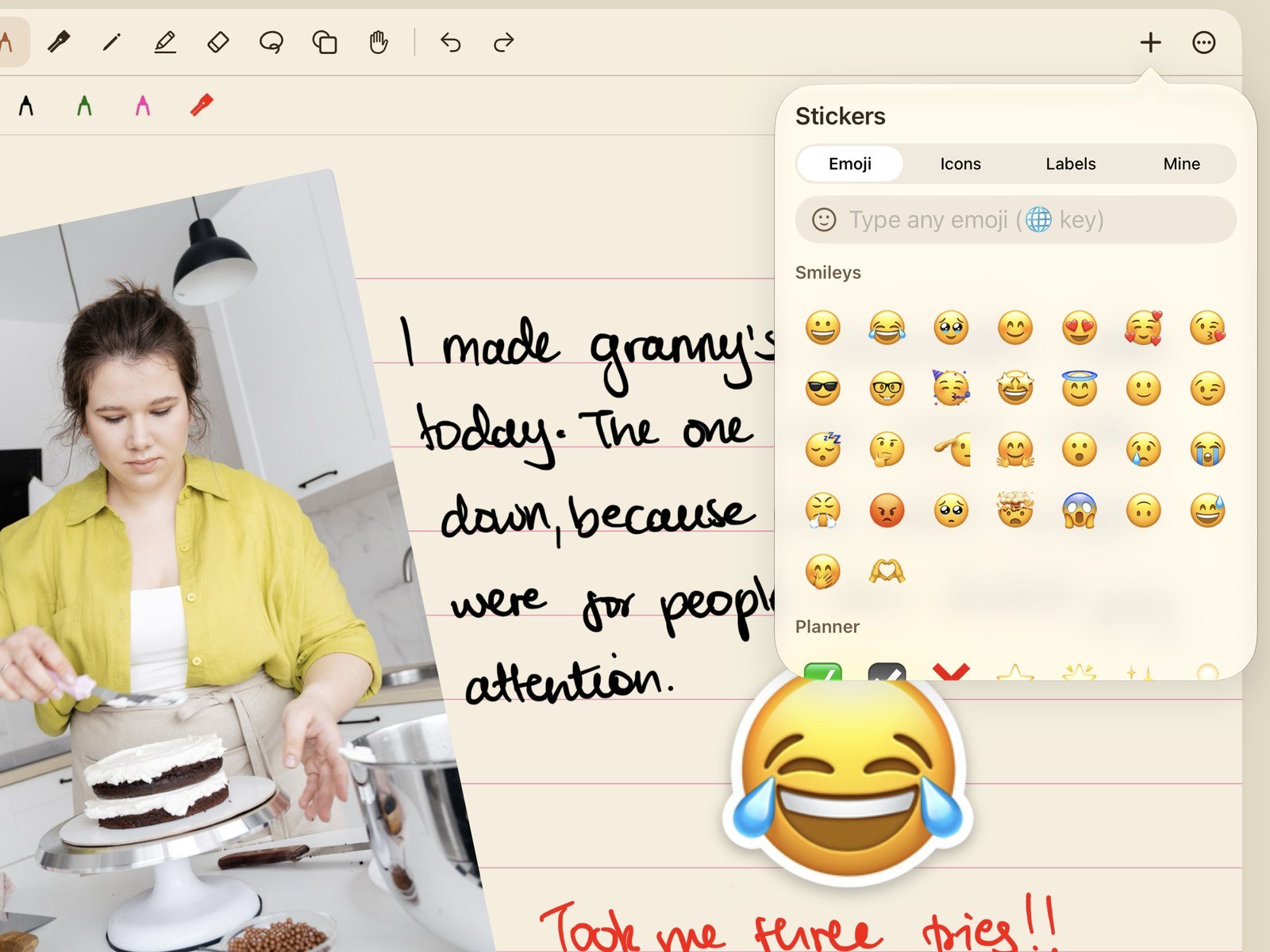
Close-up of the sticker picker in Cadno over a handwritten page with a photo and a large sticker

Make it yours

  • Photos, videos, files and photos taken with the camera
  • Stickers: emoji, icons, word labels, or cut a person, pet or object out of any photo

Templates for every kind of day

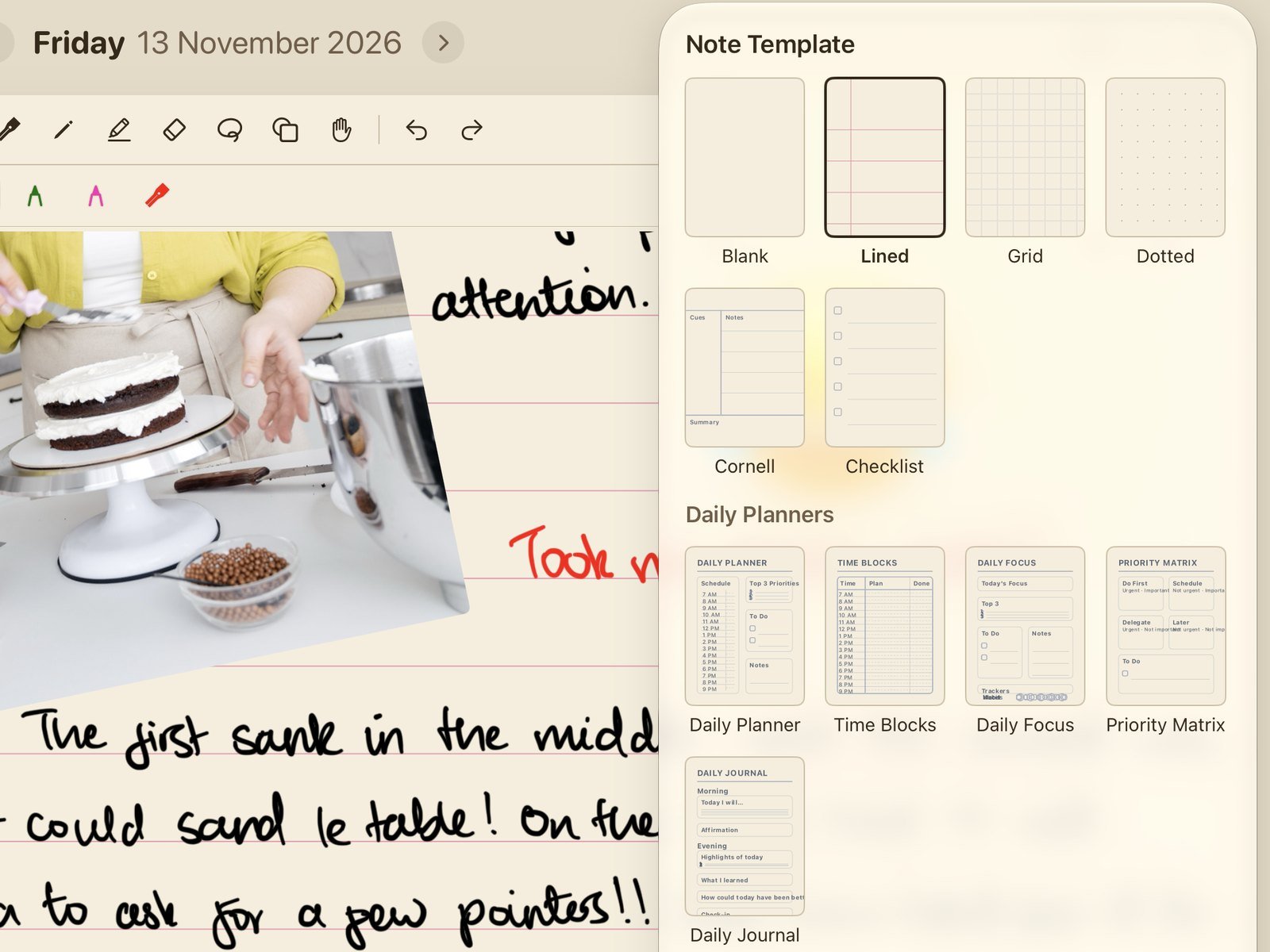
  • Lined, grid, dotted, Cornell, checklist and daily planner
  • Add more than one page to a day when you need the room
Close-up of the note template picker in Cadno showing paper styles and daily planner layouts
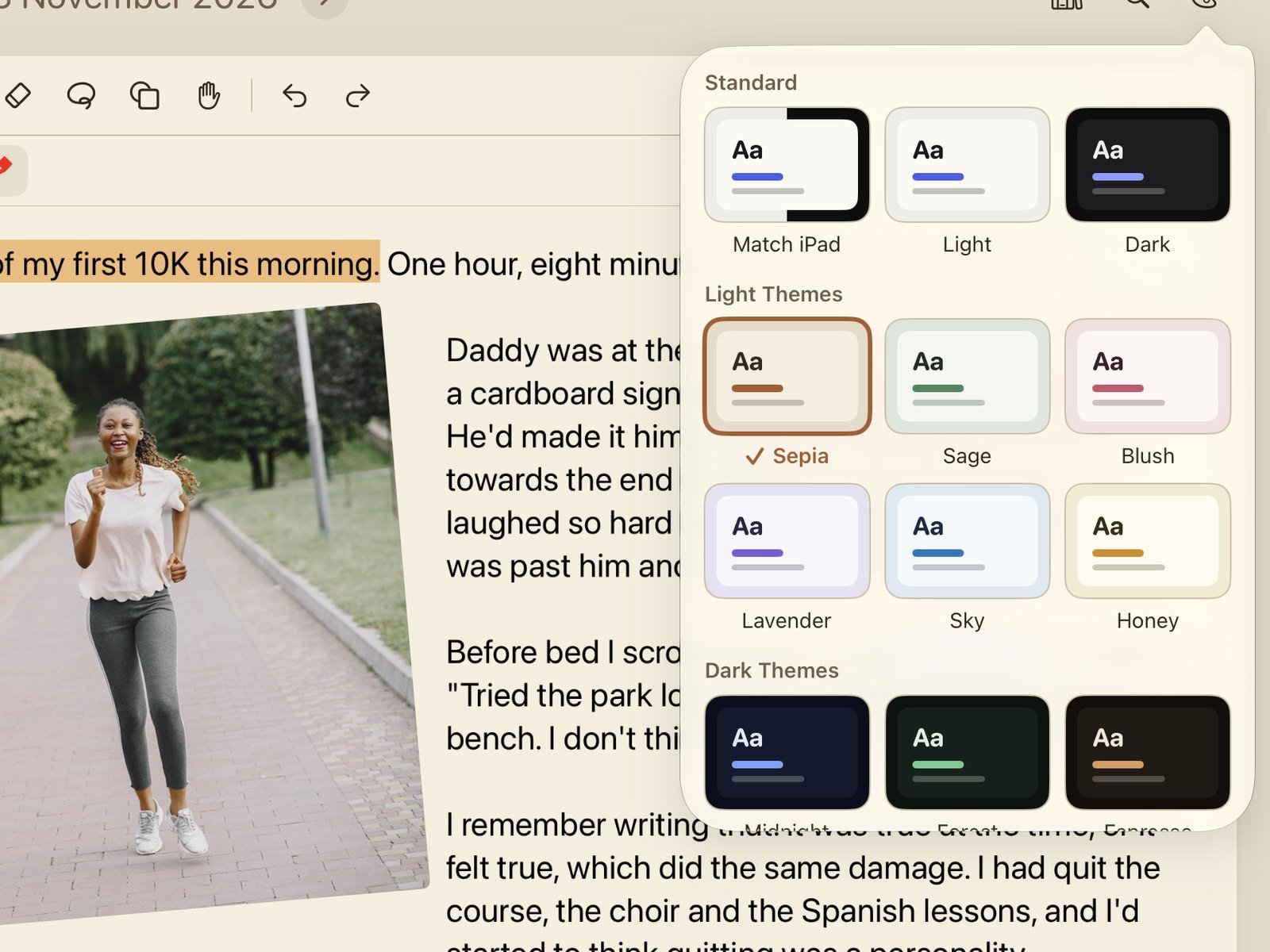
Close-up of the theme picker in Cadno with standard, light and dark themes

Themes in 10+ colours

  • Light and dark themes, including Sepia, Sage, Blush, Lavender, Sky, Midnight, Forest and Espresso
  • Sepia
  • Sage
  • Blush
  • Lavender
  • Sky
  • Midnight
  • Forest
  • Espresso

Everywhere you work

  • Works on iPhone, iPad and Mac with Apple silicon, and syncs across them with iCloud
  • Export a note or a whole week as a PDF
  • Back up and restore all your notes in one file
Cadno on Mac showing the same journal page, calendar and schedule as on iPad

Find anything

  • Search your notes, including your handwriting, plus events and reminders
  • Tags and pins keep important notes one tap away
  • My Notes shows everything by date, tag or name, with Recently Deleted for 30 days

Private by design

Your notes stay on your devices and in your own iCloud account.

  • No accounts
  • No ads
  • No tracking

Why we made Cadno

Some of us never stopped missing the paper diary. One day, one page, everything you planned and everything you thought in the same place.

Uncle Dan spent years trying to-do, planner, and calendar apps, looking for that feeling. None of them had it. So he buckled up and built it himself.

He started using it, and before we knew it the whole team was obsessed. Three and a half years of work later, that idea is Cadno. If you miss your diary too, we made this for you.

made by Daniel Banhamombe (Uncle Dan from Paperless X)

Cadno app logo: a green seedling growing out of a brown calendar

Start with today's page

Cadno is on its way. It will be ready to download soon.

Coming soon to the App Store

For iPhone, iPad and Mac with Apple silicon